How we work: This guide uses current public documentation and does not claim hands-on testing unless stated. Some links may later become affiliate links, at no added cost to you. Rankings are independent of commissions.
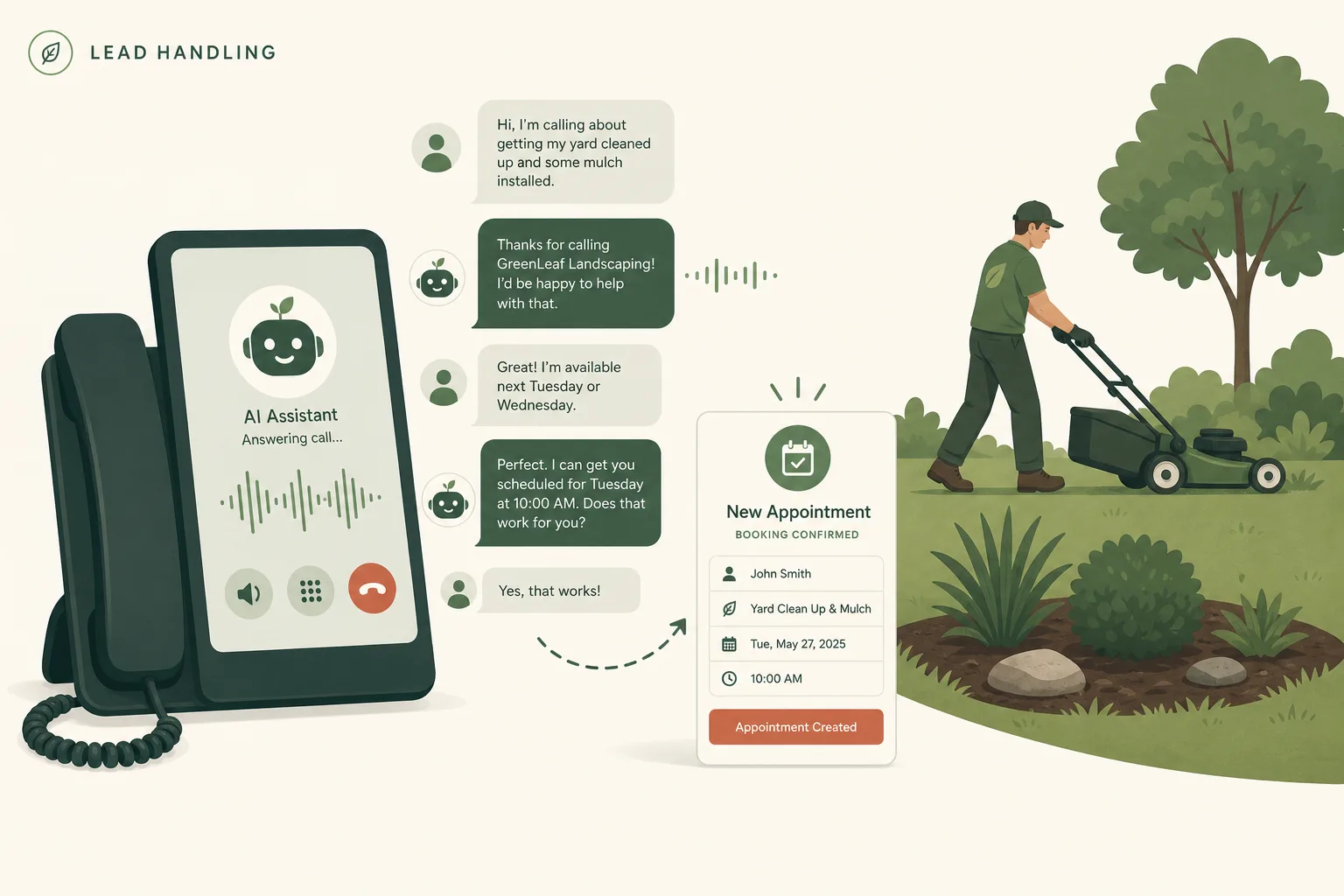
AI phone answering can make sense for a landscaping company when calls regularly arrive while the owner is driving, operating equipment, or speaking with a customer. The safest starting point is narrow: let the system answer, collect a complete estimate request, and book only approved estimate windows. Do not let it improvise project prices or treat every urgent-sounding request as a routine booking.
For a company already using Jobber, its integrated Receptionist is the lowest published incremental price in this comparison. For a standalone service, Goodcall has the clearest public allowance for unique callers. Smith.ai costs more at paid volumes but documents 24/7 human backup. Housecall Pro is the natural integrated option for its existing users, but its unpublished add-on price prevents a fair cost ranking until there is a written quote.
This is desk research, not a hands-on product test. US-dollar prices, billing units, and product documentation were checked July 25, 2026. Vendor promises about return on investment are not used in the recommendation.
Which AI phone answering option ranks best for a small landscaper?
| Rank | Option | Best fit | Published entry price checked July 25, 2026 | Important limit |
|---|---|---|---|---|
| 1 | Jobber Receptionist | A company already running eligible Jobber software | $29/mo add-on for 30 conversations; $0.79 each after 30 | The add-on price excludes the required Jobber subscription |
| 2 | Goodcall Starter | A standalone after-hours or overflow line | $79/mo per agent, or $66/mo equivalent when billed annually; 100 unique callers included | One logic flow and seven days of call and customer details on Starter |
| 3 | Smith.ai AI Receptionist | A company that values vendor-provided human escalation | Free for 25 calls/mo; Pro starts at $150/mo for 75 calls | Billing is per answered call, so repeat callers consume more than one unit |
| 4 | Housecall Pro CSR AI | An existing Housecall Pro account that wants native booking | Paid add-on; no public dollar price | A quote is required, and public help copy about booking is not fully consistent |
These are ranked setup paths, not four interchangeable subscriptions. Jobber and Housecall Pro use customer, service, and schedule data already in their field-service systems. Goodcall and Smith.ai can sit in front of a different CRM, but the handoff needs to be configured and tested.
If phone answering is only one part of a larger software decision, start with our landscaping CRM comparison. It normalizes the underlying subscriptions before add-ons are considered.
What do the published prices actually include?
Jobber is inexpensive only as an incremental add-on
Jobber’s dedicated Receptionist help page lists the add-on at $29 per month for 30 conversations and $0.79 for each additional conversation. Spam and interactions where no real conversation occurs do not count. The account can either continue into paid overages or pause the active answering actions at the limit. When paused, it can take a message but cannot book or perform other actions.
A conversation may happen by call or text, so it is not the same unit as an answered call from another provider. Jobber documents call and text answering, request capture, booking through Online Booking settings, appointment changes, and keyword-based escalation. A Jobber dedicated phone number is required even when the company keeps its existing public number through forwarding.
The important cost qualifier is add-on. A new buyer has to include the eligible Jobber plan, not compare $29 with a complete standalone service. An existing Jobber user should calculate the add-on and expected overage as the incremental decision. See our Jobber versus Housecall Pro guide for the two products’ broader scheduling and routing costs.
Goodcall bills by unique caller, not by minute
Goodcall Starter lists at $79 per month per agent on monthly billing or $66 per month equivalent on annual billing. It includes 100 unique customers per month and charges $0.50 for each unique customer after 100. A unique customer is a phone number that actually interacts with the agent; several calls from the same number during one month count as one customer. Blocked robocalls and silent hang-ups do not count.
Starter also includes unlimited call minutes and tokens, one logic flow, three team members, three transfer-directory contacts, and seven days of call and customer details. Goodcall provides a new number and documents conditional forwarding for companies that want to keep an established business number.
Its appointment tool can send a booking link, transfer the caller, provide an approved answer, or take a message. The official Zapier integration can trigger after a completed call or flow and send captured fields to another app. That is useful for lead intake, but Goodcall’s own help page describes filling the scheduling fields and then confirming the appointment. Do not assume a Zapier handoff is the same as a native, conflict-checked booking.
Smith.ai adds human backup but uses a per-call meter
Smith.ai’s current AI Receptionist page lists a free plan with 25 calls per month and a $3 charge for each additional call when overages are enabled. Pro starts at $150 per month for 75 calls, with additional calls at $2 each at that tier. Enterprise starts at $500 per month for 300 calls.
Every plan lists recording, transcription, summaries, lead qualification, routing, scheduling integrations, and 24/7 call handling. Smith.ai also says a call can escalate to its own North America-based live receptionist. That vendor-provided backup is the meaningful distinction for a solo owner who cannot accept transfers while on a job.
The billing unit matters. Each answered call counts by default, although known spam is filtered before answering and customers can remove a limited share of selected spam from a bill. A repeat customer who calls three times can consume three calls here but only one monthly unique-customer unit on Goodcall.
Housecall Pro needs a written add-on quote
Housecall Pro says CSR AI is sold separately and can answer calls and chats, use account information, check availability, book configured work, and log summaries. Its current help documentation exposes permissions for booking, rescheduling, cancellation, notification, and escalation to a chosen number or Housecall Pro Assist.
There are two reasons to verify the live account instead of relying on the headline. First, Housecall Pro does not publish a dollar price for the phone answering add-on. Second, its CSR AI overview still contains introductory text that calls booking “coming soon” while the same updated page documents active booking permissions. The marketing page also says booking is available.
Ask the demo rep to show the exact account behavior, then put the subscription, usage allowance, overage, Assist escalation, onboarding, and renewal price in one quote. Treat a feature that cannot be demonstrated as unavailable.
How can you compare billing units without fooling yourself?
Export four weeks of phone logs before choosing a plan. Count:
- answered calls;
- calls that reached voicemail or were abandoned;
- distinct phone numbers;
- repeat calls from existing customers;
- spam calls;
- calls and texts that would qualify as one vendor conversation; and
- calls that produced a qualified estimate request.
Then apply each vendor’s own unit. The following calculation is a volume example, not a claim that the units have equal value:
| Service | Example monthly activity | Calculated service price | What is excluded |
|---|---|---|---|
| Jobber Receptionist | 100 countable conversations | $84.30 ($29 + 70 × $0.79) | Eligible Jobber subscription |
| Goodcall Starter | 100 unique interacting phone numbers | $79 | Extra agents, annual commitment, and integration app costs |
| Smith.ai Pro | 100 answered calls | $200 ($150 + 25 × $2) | Any separate workflow or app costs |
| Housecall Pro CSR AI | 100 calls | Unknown | Housecall Pro subscription and unpublished CSR AI quote |
One person can create several Smith.ai calls but one Goodcall unique customer. One Jobber conversation can include the product’s defined call or text interaction. Use the company’s actual distribution instead of selecting the cheapest row in an artificial 100-unit comparison.
What is the break-even formula?
Use gross profit from a genuinely recovered booking, not total job revenue and not all jobs booked by the system.
Recovered bookings needed per month = total monthly system cost ÷ average gross profit per recovered booking
Round the answer up to a whole booking. Total system cost should include the answering subscription, expected overages, required CRM plan, phone service, automation tools, and a monthly share of setup or maintenance time. Gross profit per booking should be collected revenue minus the direct labor, materials, equipment, disposal, subcontractor, and payment costs for that work.
Here is a hypothetical example to show the calculation. These are editable assumptions, not landscaping benchmarks:
- answering and workflow cost: $129 per month;
- monthly share of setup and review time: $20;
- average gross profit from one recovered booking: $180; and
- qualified-call-to-booking rate: 25%.
The cost is $149. Dividing $149 by $180 produces 0.83, so the system needs one recovered booking per month to cover the assumed cost. At the assumed 25% booking rate, 0.83 divided by 0.25 is 3.32, so roughly four additional qualified calls must be captured. Replace every input with the company’s own collected-job and call-log data.
The hard part is the word “recovered.” A call that the owner would have answered anyway is not incremental revenue. Tag calls by time and forwarding reason so after-hours and genuinely missed calls can be evaluated separately.
What should the landscaping call flow collect?
Use the following as a configuration worksheet. The exact field names may change by product.
1. Open with identity and scope
Thanks for calling [Company]. I’m the automated receptionist. I can collect details and help schedule an estimate. This call may be recorded. Would you like to continue or speak with a person?
Have local counsel review the disclosure and recording language for every state where callers may be located. Jobber encourages AI or recording notice but leaves compliance to the customer. Housecall Pro says its disclosure that the caller is speaking with AI and being recorded is required and cannot be turned off.
2. Capture the minimum complete lead
Collect and repeat back:
- caller name and callback number;
- service address and ZIP code;
- email only if it is needed for the estimate workflow;
- requested service;
- residential, commercial, or property-management context;
- one-time, recurring, or project work;
- desired timing;
- how the caller found the company; and
- access notes that are safe to record.
Do not collect payment details, gate codes, or other sensitive data unless the selected system, company policy, and actual workflow require and protect them.
3. Apply service-area and service-type gates
Check the ZIP code or municipality before offering a time. Separate bookable estimate types such as recurring mowing or cleanup from work that needs manual qualification, such as design-build, drainage, tree work, irrigation repair, or commercial bidding.
For each service, provide one of three outcomes:
- book an approved estimate window;
- create a request for human review; or
- politely decline work outside the service area or scope.
4. Keep prices inside a strict boundary
The agent may repeat an approved fixed consultation charge or minimum that is stored in the system. For site-dependent work, use:
Pricing depends on measurements and site conditions. I can schedule an estimate or ask the team to review your request.
Never let the agent estimate square footage, material quantity, crew hours, or project price from a caller’s casual description. Our landscaping estimating software guide explains why measurements and company-specific production rates are necessary.
5. Escalate instead of improvising
Transfer or alert a person when the caller:
- asks for a human;
- reports injury, fire, a downed power line, gas odor, flooding, or an immediate threat;
- disputes an invoice or complains about damage;
- requests pesticide, tree-risk, legal, insurance, or contract advice;
- wants a cancellation that may trigger a fee;
- describes a large or unclear custom project; or
- uses the company’s chosen urgent keywords.
The system should not present itself as an emergency service. Write a separate after-hours rule for storm calls and identify who is actually on call.
6. Confirm the outcome
Read back the address, service, appointment window, and next step. Say whether the booking is an estimate, a site visit, or confirmed production work. Send a text or email confirmation only through a consented workflow, and tell the caller how to correct a mistake.
How should you test it before forwarding every call?
Product availability is not proof that a configured agent is accurate. A 2025 SINTEF study of 274 potential users found that wrong and inconsistent outputs in customer-service AI can undermine trust, with wrong information that has negative consequences viewed as especially problematic. Housecall Pro’s own best-practices page also says its CSR AI can occasionally make mistakes and that no setup guarantees perfection.
Run at least these scripted calls before launch:
| Test call | Expected behavior | Failure to watch for |
|---|---|---|
| New mowing lead inside the service area | Capture fields and offer only approved estimate windows | Books production work or promises an unapproved price |
| Address outside the service area | Decline or create a review task | Books an unusable appointment |
| Existing customer asks about tomorrow’s visit | Use the correct record or escalate | Invents a crew arrival time |
| Caller asks for a human | Transfer or create an immediate callback alert | Traps the caller in more questions |
| Downed limb touching a power line | Stop routine booking and give the approved emergency direction | Treats it as an ordinary tree estimate |
| Caller changes the address midway | Confirm the final address and avoid duplicate records | Stores conflicting locations |
| Heavy accent, road noise, or interrupted speech | Ask for clarification or transfer | Guesses at names, numbers, or service type |
| Price request for an unmeasured project | Offer an estimate without quoting | Invents a range or guarantee |
| Cancellation with a possible fee | Escalate under the written policy | Waives or charges a fee without authority |
| Spam or silent call | End and classify correctly | Consumes paid usage or creates a lead |
Start with after-hours or no-answer forwarding. Review every transcript, recording, booking, and escalation daily for the first week, then choose a review schedule based on observed errors. This article did not run those tests on any vendor.
What legal and operational risks need an explicit rule?
Inbound answering and outbound calling are different risk profiles. The FCC’s February 2024 Declaratory Ruling says AI-generated voices fall under the TCPA’s rules for artificial or prerecorded voices. Calls using them generally require prior express consent unless an exemption applies; calls containing telemarketing require prior express written consent.
Do not turn an inbound receptionist into an outbound reactivation or marketing caller because a product makes it easy. Get legal review of consent, identification, opt-out, do-not-call, recording, and state requirements first.
Operationally, decide:
- who owns the knowledge base and approved prices;
- who receives business-hours and after-hours escalations;
- how quickly each escalation must be returned;
- which data enters the CRM and which system is the source of truth;
- how duplicate contacts and bookings are resolved;
- who reviews recordings and how long they are retained;
- what happens when the vendor, integration, calendar, or internet connection is unavailable; and
- how callers reach a person without arguing with the agent.
What is the practical recommendation?
If the company already uses Jobber, test its Receptionist add-on first because the $29 incremental entry price and native request and booking actions are hard for a standalone product to beat. Model expected overages and include the underlying Jobber plan.
If the company uses another CRM, test Goodcall Starter with conditional forwarding and a lead-only handoff. Its unique-caller billing is attractive when existing customers call repeatedly, but one Starter logic flow and seven-day call-detail retention may be restrictive.
Choose Smith.ai when having the vendor’s own live receptionists available for escalation is worth the per-call price. For an existing Housecall Pro account, test CSR AI against the same scripts, but do not compare it until the full add-on and renewal quote is written down.
Whichever product is selected, launch it as a controlled intake system. A complete lead and a correctly booked estimate are useful. A confident, invented answer is worse than voicemail.
See our editorial policy for how Reserchers labels desk research and handles vendor claims, sources, and corrections.
Frequently asked questions
How much does an AI phone answering service cost for a landscaper?
Published entry prices checked July 25, 2026 range from Smith.ai's $0 plan for 25 calls to Goodcall Starter at $79 per agent per month. Jobber's $29 Receptionist price is an add-on to an eligible Jobber subscription. Housecall Pro does not publish a CSR AI dollar price.
Can an AI receptionist book landscaping estimates?
Yes, some products can book against configured availability or send a scheduling link. Limit it to approved estimate types, service areas, durations, and time windows; custom projects should create a request for human review.
Should an AI receptionist give landscaping prices over the phone?
Only for fixed, approved prices that the business has deliberately loaded into the system. It should not invent a price for work that depends on measurements, access, materials, site conditions, or disposal.
How do I calculate whether AI call answering will pay for itself?
Divide the total monthly cost by the average gross profit from one genuinely recovered booking, then round up. Use collected revenue minus direct job costs, and count only bookings that would otherwise have been missed.
Can an AI receptionist make outbound marketing calls?
That requires legal review. The FCC says calls using AI-generated voices fall under TCPA artificial or prerecorded voice rules and generally require prior express consent; telemarketing calls require prior express written consent.
Sources checked
- Jobber pricing
- Jobber Help Center: Receptionist powered by Jobber AI
- Goodcall pricing
- Goodcall Help Center: Linking Goodcall with Zapier
- Goodcall Help Center: Schedule appointments with your AI agent
- Smith.ai AI Receptionist pricing
- Housecall Pro CSR AI
- Housecall Pro Help Center: CSR AI overview
- Housecall Pro Help Center: CSR AI best practices and FAQs
- SINTEF: LLM hallucinations in conversational AI for customer service
- FCC Declaratory Ruling 24-17